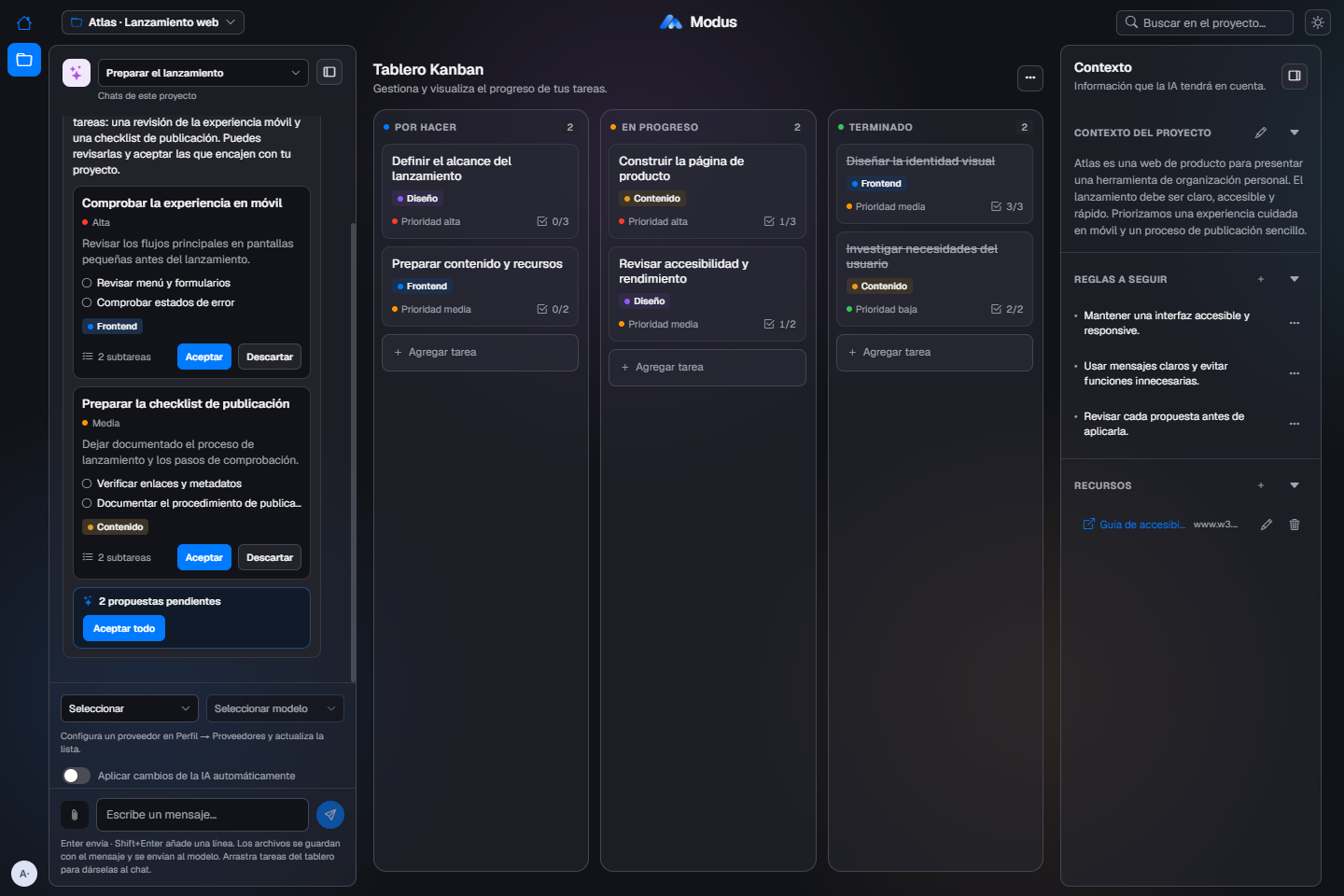
Talk to your AI.
Describe what you want to do. The assistant proposes tasks and subtasks that you can review, accept or dismiss. You decide what reaches the board.
 Modus
From conversation to tasks, with context always at hand.
Describe what you want to do. The assistant proposes tasks and subtasks that you can review, accept or dismiss. You decide what reaches the board.
Organize tasks into to do, in progress and done. Priorities, labels, dates and checklists help you see what comes next and what is already finished.
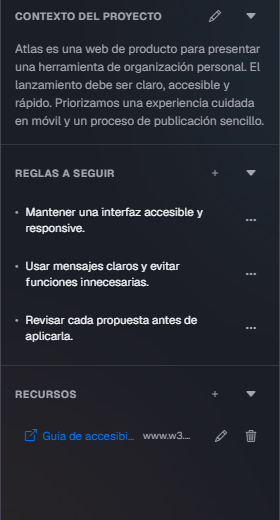
Store the project description, rules and resources. The AI uses this information to propose changes that make sense for what you are building.
The assistant knows your project’s description, rules, tasks and labels. Answers stream in, and proposed tasks appear one by one as cards you accept or dismiss, individually or all at once.
Try it on your projectReview the main flows on small screens.
Document the launch process.
Sign in with your ChatGPT account or use an API key, and pick the model from the chat. The board works without AI. Availability and limits depend on the provider.
Modus turns a vague idea into structured, measurable work without losing track of what changes. It runs on your computer, it is not a hosted service, and every important decision goes through you.
Explore the projectThe database lives on your computer, with an optional PIN to protect access. No dependence on external services.
Connect a Turso database you control, with a username and password. Modus keeps running on your computer.
Control also means knowing what you share.
When you use AI, only the necessary content is sent to the provider you choose. Keys are stored encrypted with Windows. The PIN does not encrypt projects.No. You can create projects, organize tasks and use the board without setting up AI. To chat with the assistant, you need to connect a compatible provider.
Modus runs on your computer. You can store the data in your own Turso database, but that does not turn the app into a hosted service. It is not designed to expose its server to the Internet.
If you choose SQLite, your projects are stored locally. When you use AI, the necessary content may be sent to the provider you chose; Tavily receives search queries, and Turso stores the data if you choose that mode.
The desktop version is available for Windows x64, as an installer or portable app. To run Modus from source you need Node.js 24 and pnpm. Encrypted keys and ChatGPT OAuth use Windows DPAPI.
By default, you review and accept the proposals. You can also turn on automatic apply from the chat. The choice is yours; the AI can make mistakes, so check the results.
 ChatGPT
 OpenCode Go
 Groq
 DeepInfra
 Amazon Bedrock
 OpenRouter